SWTCHD.
Smart electrical control.
A small change at your panel. A new way to control, monitor, and schedule your compatible circuits.
2 smart devices + installation & setup
Professional installation · App setup · Wi-Fi pairing · Device integration · Configuration · System testing · Customer walkthrough
Additional travel charges may apply depending on location. Any applicable fee will be confirmed with you in advance.
Cash on delivery · $0 paid online
MEET SWTCHD.
A smarter connection between
your power and your everyday.
Control
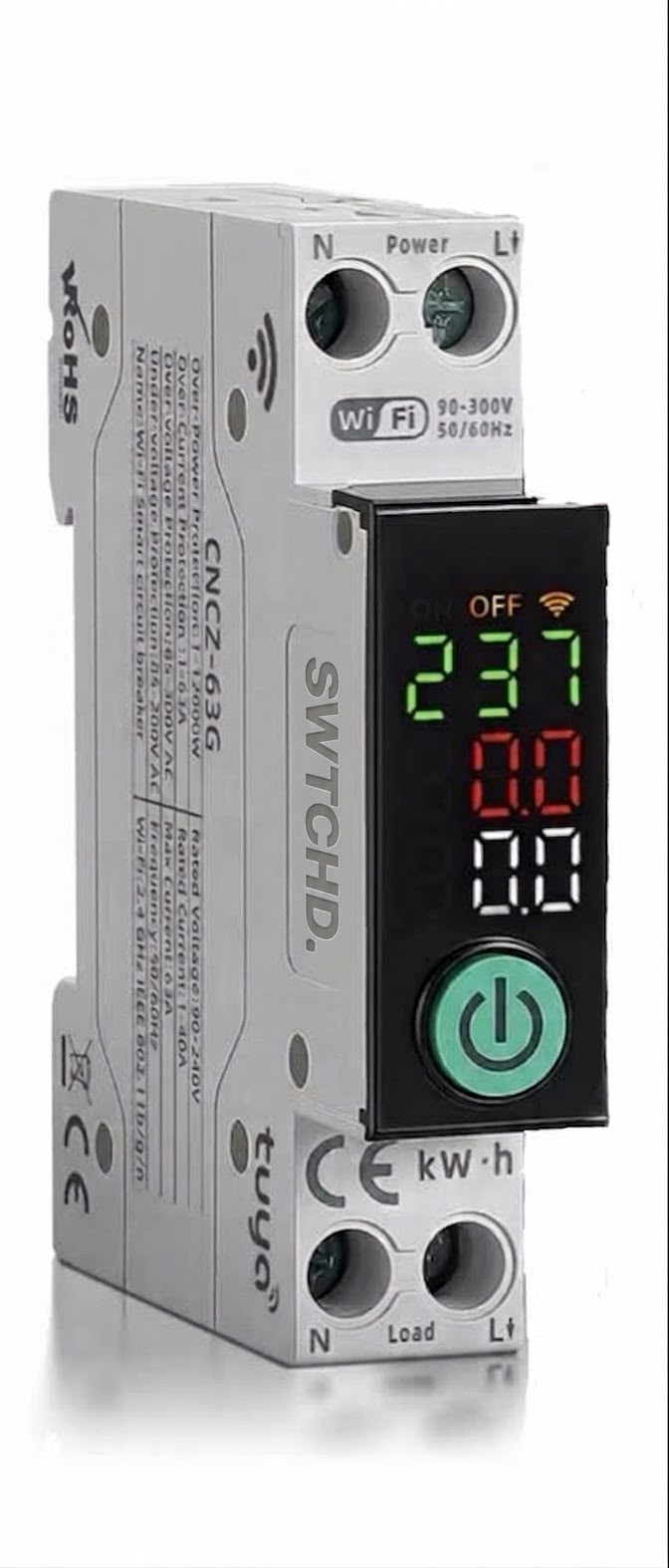
Turn compatible circuits on or off through your phone.
Monitor
See useful electrical and energy information through the app.
Schedule
Set timers and schedules around your routine.
Configure
Set up the available smart functions for your installation.
TRY SWTCHD.
One touch. You’re in control.
Scroll to explore. Or tap to take control.
Water heater
Scroll or tap the switch to turn it on.
SWITCH OFF
FROM BOX
TO SMART.
A complete setup.
A simple experience.
ORDER
Choose your SWTCHD setup online.
CONFIRM
We contact you to confirm order and installation details.
INSTALL
Your SWTCHD device is professionally installed.
CONNECT
The app and smart functions are configured.
SWTCHD
Ready to use.
THE DETAILS
MATTER.
- Rated Voltage
- 230V AC
- Rated Current
- Adjustable up to 63A
- Breaking Capacity
- 6kA
- Frequency
- 50/60Hz
- Mounting
- DIN Rail
- Connectivity
- 2.4GHz Wi-Fi
- App Compatibility
- Tuya / Smart Life
- Remote Control
- ON / OFF control from smartphone
- Energy Monitoring
- Voltage, Current, Power & kWh
- Scheduling
- Timers and automatic schedules
- Over-Voltage Protection
- Adjustable
- Under-Voltage Protection
- Adjustable
- Over-Current Protection
- Adjustable
- Overload Protection
- Supported
- Automatic Reclosing
- Supported
- Voice Control
- Amazon Alexa & Google Assistant
- Application
- Residential, commercial & compatible electrical circuits
QUESTIONS?
Good. Smart starts with understanding.
SWTCHD brings phone-based control, monitoring, and scheduling to compatible electrical circuits. Start with one circuit, then choose a setup around your routine.